Sprunki.MSI

More games like Sprunki.MSI

Sprunki.MSI

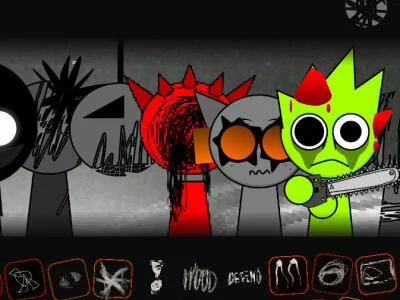
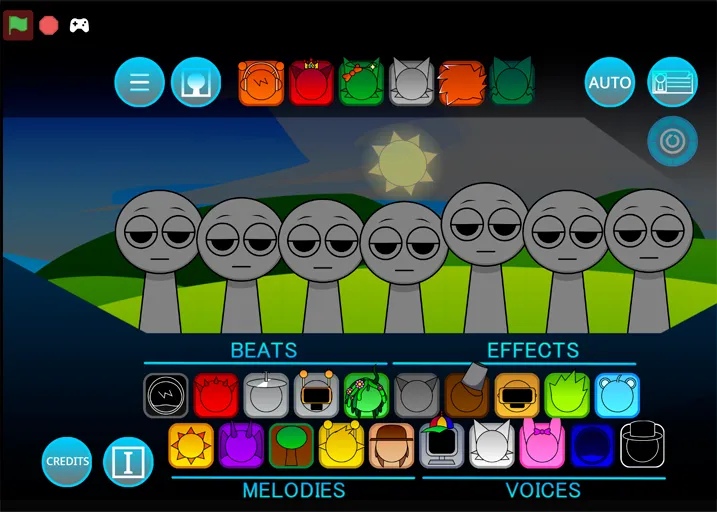
Sprunki.MSI is DylanTheWolf’s glitch-forward take on Sprunki mixing. The name nods to “Missing Sound Interface,” and the stage sells that idea from the first load: seven gray avatars waiting under a dusky, cloudy sky while the audio bank feels half-broken on purpose. You still drag icons onto figures, but the loops arrive warped, clipped, or dissonant, so even a short mix can sound unsettled without stacking every slot.

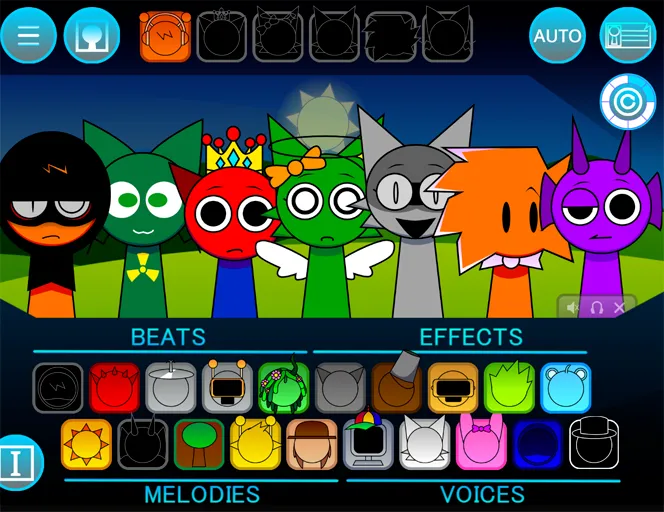
The toolbar holds 26 effects, roughly twenty along the bottom and six along the top, labeled as beats, melodies, voices, and effects so you can aim instead of guessing. Bios sit behind the cast if you want a quick read on each MSI-styled character. First boot often needs thirty to forty-five seconds while samples and animations finish caching. After that, Sprunki.MSI rewards messy experiments as much as tidy grooves.

How to Play Sprunki.MSI

1
Drag a Sprunki.MSI sound icon onto a gray avatar

Drag a labeled sound onto a gray avatar

Pick a beat, melody, voice, or effect from the icon rows, then drop it on an empty figure. That avatar starts its loop and glitch animation right away.

2
Stack Sprunki.MSI characters to layer the track

Stack more figures to build the mix

Keep placing different MSI characters until the rhythm and melody sit together. Click an active figure to pull it off the board if that layer clashes.

3

Mute, solo, or clear one character at a time

Use the three icons under each on-stage figure to mute, solo, or remove that voice while the rest of Sprunki.MSI keeps playing.

How the 26 Sprunki.MSI sounds are laid out

The bottom strip is where most sessions live. Beats hold the grid together, melodies carry pitch, voices add human or semi-human colour, and effects sit like grit on top. The six top-row icons often act as accents or oddball textures rather than foundation pieces, so many players leave them alone until a mid-mix needs a jolt.

Because every label is readable, Sprunki.MSI is friendlier to newcomers than mods that only show abstract art. You can still chase chaos, you just start with clearer knobs. A useful habit is locking one beat and one melody first, then testing voices against that pair so the glitched loops do not smear into noise.
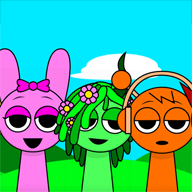
Why the MSI cast looks and sounds corrupted

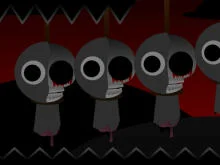
Visually, Sprunki.MSI leans into digital damage: flicker, static, short frame tears, and idle motions that refuse to stay smooth. Those glitches escalate when you pile on dissonant icons, which is handy debugging, if the stage suddenly wilds out you know the last placement pushed the palette hard.

Audio follows the same idea. Loops arrive intentionally broken, remixed, or stretched, so sprunki.msi never behaves like a clean pop kit. Pairing two “wrong” sounds can open a hidden sting, a transition, or a visual burst that does not fire on safer stacking. Swap one icon per loop when you hunt those moments; wiping the board erases the clue path.

Finding a shareable Sprunki.MSI take

Memorable clips from this mod usually open with an obvious glitch hit, a warped vocal or a flickering avatar, before the groove settles. Build that spike into the first few bars, then steady the mix so the full cycle can repeat without dropouts. Mute and solo tools under each character help you isolate which MSI loop is fighting the rest.

Headphones help more than on brighter Sprunki phases because the lows and clipped highs carry the identity of the track. If the first load still feels empty, wait out the loading animation fully before placing icons so banked samples trigger clean. Sprunki.MSI stays a free, browser-only fan mod; no login or install is required on this page.

Sprunki.MSI is a fan-made Sprunki mod by DylanTheWolf. It is not an official Incredibox or Sprunki product. To play Sprunki.MSI online free on Sprunky Game, use the player at the top of this page.

FAQs about Sprunki.MSI

Sprunki.MSI is a fan-made Incredibox-style Sprunki mod by DylanTheWolf. MSI stands for Missing Sound Interface. You drag 26 labeled sounds onto seven gray avatars and build glitchy, warped tracks in the browser.
It pushes glitch aesthetics and deliberately broken loops harder than clean phase mods. Characters flicker and distort, audio feels corrupted, and the sound bar uses clear beat, melody, voice, and effect labels.
There are 26 effects in total, about twenty along the bottom toolbar and six along the top. You mix them by dragging icons onto the seven stage figures.
Allow about thirty to forty-five seconds on first launch while the audio and animation banks finish loading. Wait for the loading sequence to complete before placing icons.
Yes. Each on-stage character has three controls underneath for mute, solo, and remove. Clicking the character itself also clears that layer from the mix.
Specific character pairings can unlock secret audio hits, transitions, or visual bursts. Change one icon at a time and watch for sudden flicker or new timbres.