FiddleBops
report

More games like FiddleBops

FiddleBops

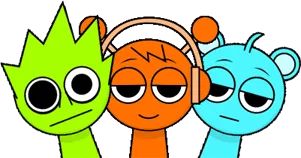
FiddleBops is a fan-made Sprunki music mod that treats the stage like a colorful toy box instead of a dark corridor. Built on the familiar drag-and-drop loop format, it leans into humor, meme-flavored samples, and animated performers that start moving the second you drop them into a slot. The core creators usually credited are silkycell, SkyFactorial, and BezieAnims, with additional community artists named across releases. You can play the project on Cocrea as well, which is why that platform name shows up next to the mod so often.

You get 25 characters, each carrying its own beat, melody, effect, or vocal loop. Some sit close to classic Sprunki rhythm work. Others sound like they wandered in from a comedy sketch or a meme edit. That spread is the point of FiddleBops: a session can start tidy and then tip into chaos the moment you add one loud effect character. We added it to our free browser lineup so you can open it, drag a few icons, and start mixing without installing anything.

If a lot of the darker mods we carry ask you to sit inside one heavy mood, FiddleBops asks you to fool around instead. Animations react as you layer sounds, mute and solo tools let you isolate a noisy piece without wiping the board, and certain pairings unlock audio surprises you will not hear on a random first run. Casual players can build a simple groove in a minute. Curious players can keep swapping one icon at a time until a hidden reaction finally shows up.

How to Play FiddleBops

1
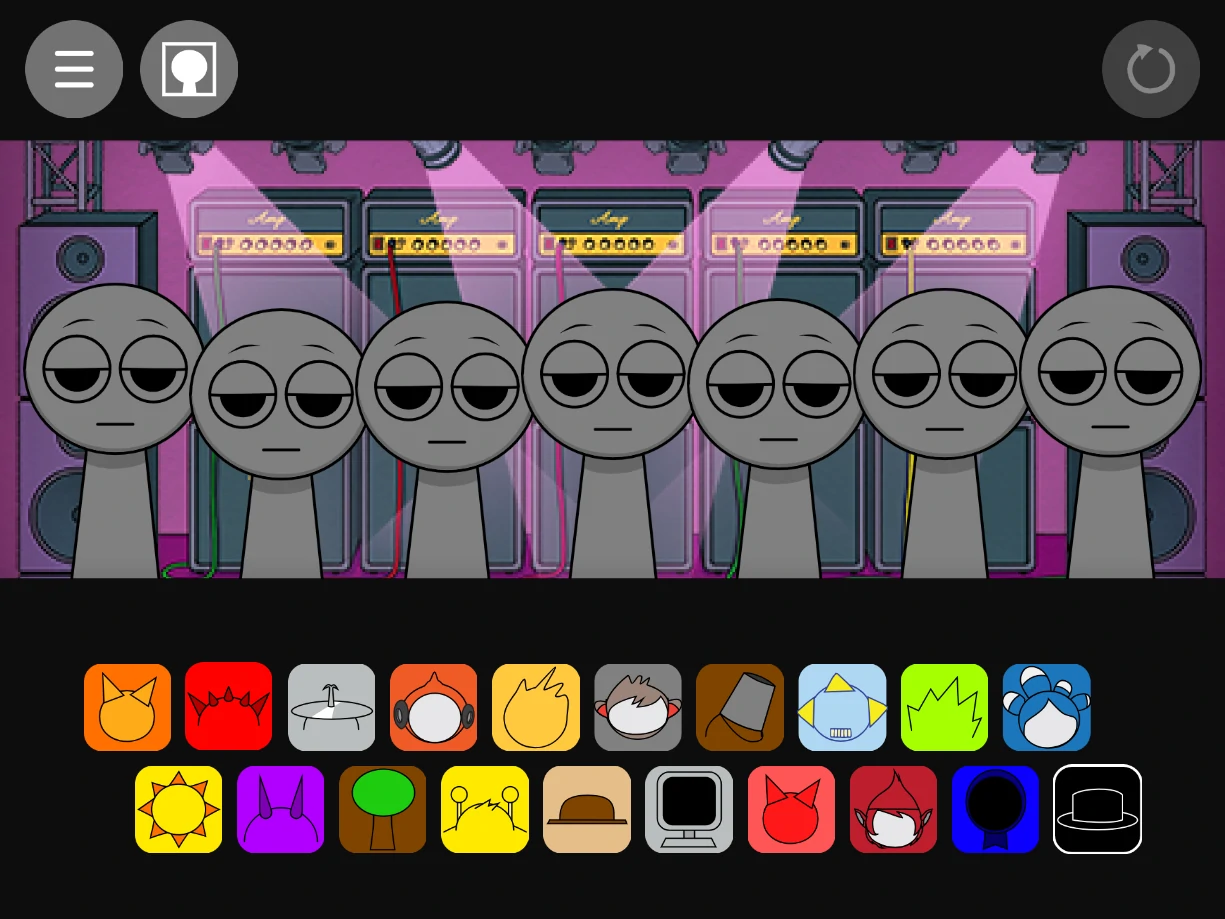
Drag a FiddleBops character onto the stage

Pick a character and drag it onto the stage

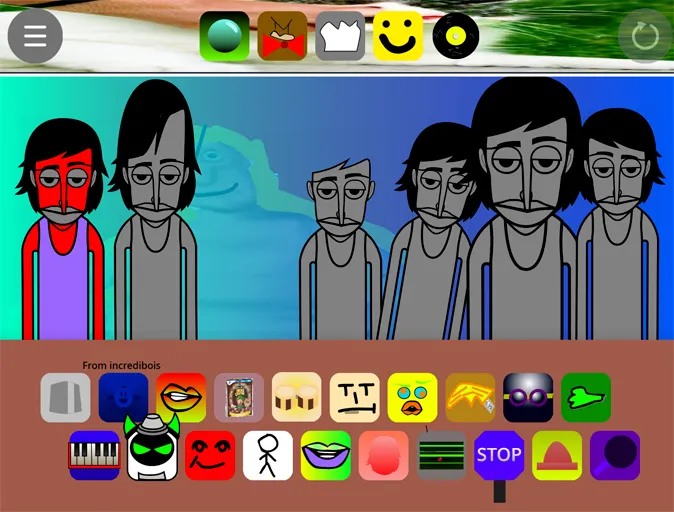
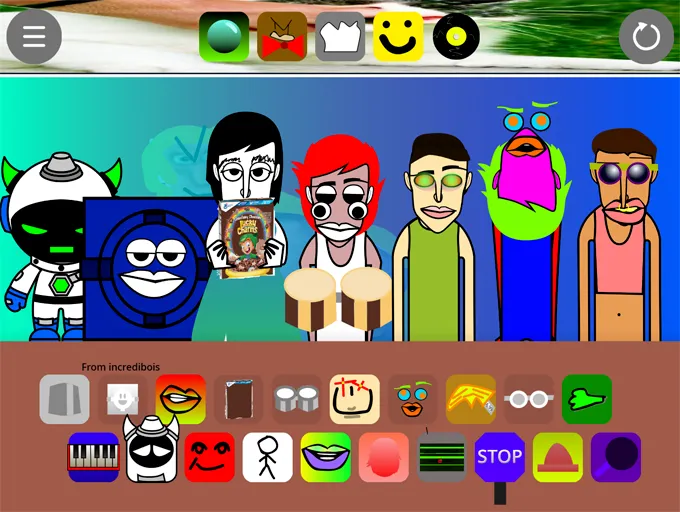
Browse the FiddleBops tray, click a Sprunki character, and drop it onto an empty stage slot. That performer starts its loop and animation right away. Click an active character on stage if you want to remove that layer and try another.

2
Layer multiple FiddleBops characters to build a mix

Layer beats, melodies, and effects into one mix

Keep adding characters until the groove feels full. A practical start is one beat, one melody, then one effect or vocal. Use the three icons under a stage character to mute, solo, or remove that voice without restarting the whole board.

3

Clear, retune, and hunt for hidden combos

Use the refresh control in the top right when you want a clean slate. For discovery runs, change only one character at a time and listen for bonus audio or visual reactions. When something unexpected hits, note which icons were live so you can recreate the combo.

Why the 25-character roster feels so busy in a good way

A lot of Sprunki boards give you a tight cast and ask you to master a small palette. FiddleBops goes the other direction. Twenty-five characters means the tray is crowded with rhythm pieces, melodic lines, oddball effects, and vocal samples that do not all belong to one genre. That density helps even in short sessions, because you rarely run out of alternate takes for the same slot. If a beat feels too clean, swap it. If a vocal is too jokey for the mix you want, mute it and keep the rest of the board intact.

The humor is not only in the jokes baked into individual samples. It also comes from how mismatched personalities sit next to each other. A polished electronic loop can share the stage with a meme-leaning vocal or a cartoonish effect character. Players who enjoy Sprunki for personality as much as for mixing tend to linger here longer than on boards that keep every performer inside one visual and audio theme.

That many-hands feel matches the credits. silkycell, SkyFactorial, and BezieAnims are the names that come up most often, and other community artists appear across writeups of the same project. The roster sounds like a collaboration: not one person polishing a single style for weeks, but a pile of weird favorite loops dropped into the same box and left for you to make them work together.
Mute, solo, refresh, and the real mixing loop

Drag and drop is only the first half of FiddleBops. The second half is control. Under each active character you get mute, solo, and remove options, which matters a lot when the board is full of loud personalities. Solo is the fastest way to hear what a single loop is actually doing before you blame the whole mix. Mute keeps the character on stage while you test whether the track sounds cleaner without its audio. Remove clears that slot when you are ready to replace it.

The refresh button in the top right clears the stage in one click. We recommend using it after you have already found something interesting, not in the middle of a hunt, because wiping the board also wipes the context of which pairing triggered the surprise. A cleaner habit is to change one icon, listen through a full loop, then decide. That slow swap method is how most players find the hidden sound gems: not by dumping the tray at once, but by building a stable core and then poking the edges.

On phones and tablets the same controls still matter, especially mute and remove, because touch sessions get crowded faster on a small screen. Headphones help more than people expect. Several FiddleBops effect and vocal layers live in mid and high detail that tiny speakers flatten, so a mix that sounds muddy on a laptop speaker can suddenly separate into clearer parts once you hear the timing cleanly.

Hidden combos, replay value, and who this mod suits

FiddleBops rewards curiosity without turning the whole game into a checklist. Certain character combinations unlock unique audio reactions and secret vibes that do not appear in a basic first stack. Community guides also talk about secret characters and bonus combos beyond the main tray, so leave room in a session to poke at odd pairings instead of only chasing a clean groove. Because the roster is large, those surprises are spread across many possible setups. A second session can feel new simply because you started from a different foundation character.

Beginners usually do fine here. The controls are still the familiar Sprunki loop: pick, place, listen, adjust. You do not need music theory to build something that grooves, and you do not need prior Sprunki lore to enjoy the jokes. More experienced players get value from the width of the library and from how quickly a careful board can turn chaotic when one effect character lands. Kids and casual players tend to like the colorful animations. If you came looking for horror, this one is deliberately lighter, which makes it a good break from the scare shelf.

Can you push different styles? Yes, within the limits of the sample bank. Electronic and pop-leaning stacks are easy. Experimental and meme-heavy mixes are where FiddleBops really shows its personality. Build a loop you like, hunt one surprise, then refresh and try a completely different starting cast.

A few tips, plus similar games worth trying next

Start thinner than you think you need. Two or three characters often reveal more about the FiddleBops palette than a full stage jammed on minute one. Once the core groove is stable, add the weirdest looking effect character you have been avoiding and listen for whether it fits or clashes. If it clashes, solo that newcomer, learn its loop, then decide whether it belongs in the mix at all.

When you are hunting secrets, keep notes simple: which three icons were live when the bonus hit. Rebuild from that trio before you get fancy again. And if a session starts feeling samey, force a new opening by placing a vocal or effect first instead of percussion. FiddleBops is flexible enough that you do not always have to start with the beat.

If FiddleBops's bright, funny energy worked for you, here are a few more we recommend from our collection. Sprunki Cendi stays in the comedy lane with meme-forward chaos. Sprunki Modded is a comfortable community edit with a clean mixing stage. Sprunki Remix pushes a more neon, electronic personality while keeping the same drag-and-drop spine. Sprunki Scratch has a handmade, playful feel if you want something less polished. Sprunki Cool As Ice is a brighter non-horror option when you want a different visual mood without leaving music mixing behind.

FAQs about FiddleBops

FiddleBops is a fan-made Sprunki / Incredibox-style music mod with 25 quirky characters. You drag performers onto the stage to layer beats, melodies, effects, and vocals, then hunt for combo surprises. It plays free in the browser.
There are 25 unique characters. Each one brings a distinct loop and animation, covering rhythm, melody, effects, and vocal-style parts.
Yes. Combining several characters is the core of the game. Use mute and solo under each stage character when you need to hear one part clearly inside a busy mix.
Yes. Certain character combinations unlock unique audio reactions and secret vibes that do not show up in a basic first stack. Change one icon at a time when you are hunting them.
Yes. The controls are easy to learn, and you can make a fun loop without music training. Experienced players still get depth from the large roster and hidden combo hunting.
Yes. We offer FiddleBops free with no account or download required. Open it in your browser and start mixing.
It is mainly credited to silkycell, SkyFactorial, and BezieAnims, with other community artists named across releases. The project is commonly played on Cocrea.